


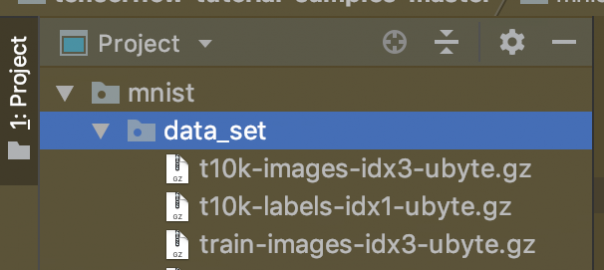

Format ubyte merupakan format binary untuk menyimpan dataset yang terkompresi. Kalian tentu tahu donk dataset MNIST sebagai benchmark dalam menguji algoritma deep learning CNN. Bisa kalian peroleh image dan label nya di googleapis.com melalui link berikut
Untuk dataset training
https://storage.googleapis.com/cvdf-datasets/mnist/train-images-idx3-ubyte.gz
https://storage.googleapis.com/cvdf-datasets/mnist/train-labels-idx1-ubyte.gz
untuk dataset testing
https://storage.googleapis.com/cvdf-datasets/mnist/t10k-images-idx3-ubyte.gz
https://storage.googleapis.com/cvdf-datasets/mnist/t10k-labels-idx1-ubyte.gz
Setelah kalian download dan extract menggunakan winrar maka terdapat file dengan format ubyte
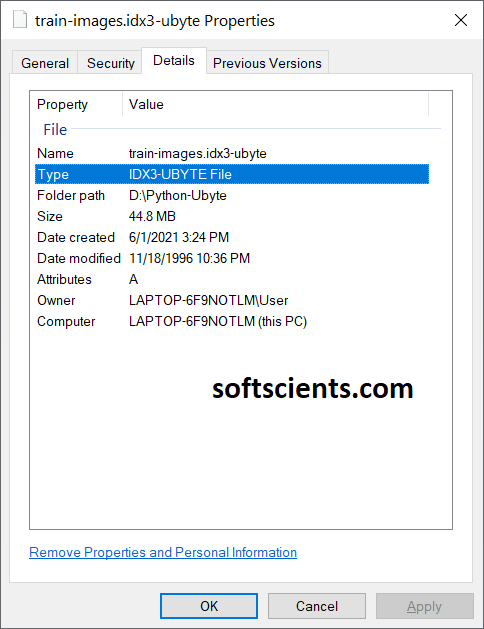
Oiya, saya menggunakan tensorflow 2.4.1 ya
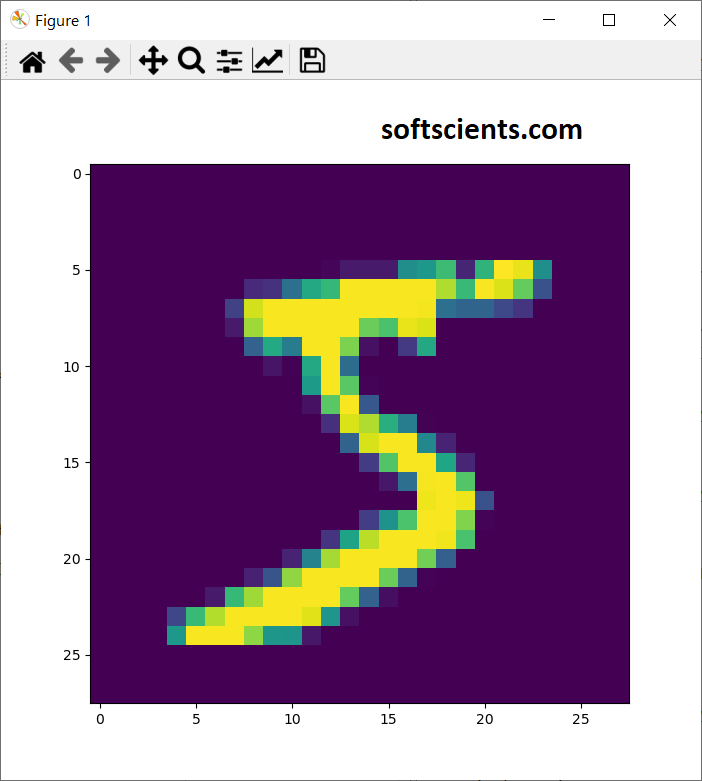
Setelah kalian download (tidak perlu extract, karena kita pakai gzip), berikut untuk menampilkan gambarnya
import gzip
f = gzip.open('train-images-idx3-ubyte.gz','r')

image_size = 28 #ukuran gambar!
num_images = 100 #jumlah gambar yang akan diambil

import numpy as np
f.read(16)
buf = f.read(image_size * image_size * num_images)
data = np.frombuffer(buf, dtype=np.uint8).astype(np.float32)
data = data.reshape(num_images, image_size, image_size, 1)

# no gambar yang akan diambil
no_gambar = 10
import matplotlib.pyplot as plt

image = np.asarray(data[no_gambar]).squeeze()
plt.imshow(image)
plt.show()

#untuk baca label
f = gzip.open('train-labels-idx1-ubyte.gz','r')
f.read(8)
for i in range(0,num_images):
    buf = f.read(1)
    labels = np.frombuffer(buf, dtype=np.uint8).astype(np.int64)
    print(labels)
Ref: https://stackoverflow.com/questions/40427435/extract-images-from-idx3-ubyte-file-or-gzip-via-python
Script Download
Contents
Untuk cara kedua dengan langsung download. Kalian bisa menggunakan kode berikut untuk melakukan download di python
import os
from six.moves import urllib
import tensorflow as tf
import gzip
import numpy
import sys

def download(directory, filename):
  """Download a file from the MNIST dataset if not already done."""
  filepath = os.path.join(directory, filename)
  if tf.io.gfile.exists(filepath):
    return filepath
  if not tf.io.gfile.exists(directory):
    tf.io.gfile.mkdir(directory)
  # CVDF mirror of http://yann.lecun.com/exdb/mnist/
  url = 'https://storage.googleapis.com/cvdf-datasets/mnist/' + filename + '.gz'
  temp_file_name, _ = urllib.request.urlretrieve(url)
  tf.io.gfile.copy(temp_file_name, filepath)
  with tf.io.gfile.GFile(filepath) as f:
      size = f.size()
  print('Successfully downloaded', filename, size, 'bytes.')
  return filepath

directory='.'
images_file = 'train-images-idx3-ubyte'
labels_file = 'train-labels-idx1-ubyte'
result_images_file = download(directory, images_file)
result_labels_file = download(directory, labels_file)
Cari tahu jumlah records yang ada
Setelah didownload, kita bisa langsung baca dan sekaligus disiapkan untuk dibuat TFRecord, kita buat parsing data menggunakan cara pertama namun menggunakan _read32() untuk mengetahui jumlah data yang ada didalam file tersebut.
Oiya, kita butuh dense_to_one_hot() sebagai outputnya (bila kalian ingin tahu apa itu one hot bisa pelajari ini https://softscients.com/2020/11/06/belajar-membuat-desain-neural-network-dengan-tensorflow/)
def dense_to_one_hot(labels_dense, num_classes):
  """Convert class labels from scalars to one-hot vectors."""
  num_labels = labels_dense.shape[0]
  index_offset = numpy.arange(num_labels) * num_classes
  labels_one_hot = numpy.zeros((num_labels, num_classes))
  labels_one_hot.flat[index_offset + labels_dense.ravel()] = 1
  return labels_one_hot
Selanjutnya kita buat extract_images() dan extract_labels() untuk unzip dan membaca ubyte nya
def extract_images(result_images_file):
  """Extract the images into a 4D uint8 numpy array [index, y, x, depth].
  """
  with gzip.open(result_images_file,'rb') as bytestream:
    magic = _read32(bytestream)
    if magic != 2051:
      raise ValueError('Invalid magic number %d in MNIST image file: %s' %
                       (magic, result_images_file))
    num_images = _read32(bytestream) #untuk dapatkan jumlah gambar! secara otomatis
    rows = _read32(bytestream)
    cols = _read32(bytestream)
    buf = bytestream.read(rows * cols * num_images)
    data = numpy.frombuffer(buf, dtype=numpy.uint8)
    data = data.reshape(num_images, rows, cols, 1)
    return data

def extract_labels(result_labels_file, one_hot=False, num_classes=10):
  """Extract the labels into a 1D uint8 numpy array [index].
     labels: a 1D uint8 numpy array.
  Raises:
    ValueError: If the bystream doesn't start with 2049.
  """

  with gzip.open(result_labels_file,'rb') as bytestream:
    magic = _read32(bytestream)
    if magic != 2049:
      raise ValueError('Invalid magic number %d in MNIST label file: %s' %
                       (magic, result_labels_file))
    num_items = _read32(bytestream)
    buf = bytestream.read(num_items)
    labels = numpy.frombuffer(buf, dtype=numpy.uint8)
    if one_hot:
      return dense_to_one_hot(labels, num_classes)
    return labels
Langsung saja kita panggil
train_images  = extract_images(result_images_file)
train_labels = extract_labels(result_labels_file,one_hot=True)
Membuat TFRecords
Membuat helper functions to parse int and bytes features terlebih dahulu / encoding
def _int64_feature(value):
  return tf.train.Feature(int64_list=tf.train.Int64List(value=[value]))

def _bytes_feature(value):
  return tf.train.Feature(bytes_list=tf.train.BytesList(value=[value]))
Kita ambil sampel 1.000 saja jangan banyak2
jumlah_data = 1000 #ambil segitu saja
train_images = train_images[:jumlah_data]
train_labels = train_labels[:jumlah_data]
Mari kita coba 1 sample saja, simpan dengan nama train_single.tfrecords
#untuk 1 sample saja
image = train_images[0]
image_label = train_labels[0]
_, rows, cols, depth = train_images.shape
filename = "train_single.tfrecords"
with tf.io.TFRecordWriter(filename) as writer:
    image_raw = image.tostring()
    example = tf.train.Example(features=tf.train.Features(feature={
        'height': _int64_feature(rows),
        'width': _int64_feature(cols),
        'depth': _int64_feature(depth),
        'label': _int64_feature(int(image_label)),
        'image_raw': _bytes_feature(image_raw)
    }))
    writer.write(example.SerializeToString())
Atau untuk semua sekaligus, gunakan ini simpan denganm nama train.tfrecords
#untuk semua file!
filename = "train.tfrecords"
num_examples, rows, cols, depth = train_images.shape
data_set = list(zip(train_images, train_labels))
dataset_length = len(data_set)
with tf.io.TFRecordWriter(filename) as writer:
    for index, (image, label) in enumerate(data_set):
        sys.stdout.write(f"\rProcessing sample {index+1} of {dataset_length}")
        sys.stdout.flush()

        image_raw = image.tostring()
        example = tf.train.Example(features=tf.train.Features(feature={
            'height': _int64_feature(rows),
            'width': _int64_feature(cols),
            'depth': _int64_feature(depth),
            'label': _int64_feature(int(label)),
            'image_raw': _bytes_feature(image_raw)
        }))
        writer.write(example.SerializeToString())
Membaca TFRecords
Untuk membaca TFRecord kita butuh description/schema, kita buat saja untuk ambil data height dan width serta image_raw nya
import tensorflow as tf
from matplotlib import pyplot as plt
import numpy as np

# Read the data back out.
def decode_fn(record_bytes):
  return tf.io.parse_single_example(
      # Data
      record_bytes,
      # Schema
      {"height": tf.io.FixedLenFeature([], dtype=tf.int64),
       "width": tf.io.FixedLenFeature([], dtype=tf.int64),
       "label":tf.io.FixedLenFeature([], dtype=tf.int64),
       'image_raw': tf.io.FixedLenFeature([], tf.string)}
  )
ingat ya! image_raw nya didalam encoding disimpan dalam format string, oleh karena itu butuh mekanisme khusus! Sekarang kita baca yang train_single.tfrecords saja
filename = 'train_single.tfrecords'

for batch in tf.data.TFRecordDataset(filename).map(decode_fn):
    #print(batch['width'])
    print("x = {height:.0f},  y = {width:.0f}, label={label:.0f}".format(**batch))
    image = tf.io.decode_raw(batch['image_raw'], tf.uint8)
    plt.figure(figsize=(7, 7))
    plt.imshow(image.numpy().reshape([28,28]))
    plt.show()
perhatikan bahwa image_raw harus diconvert ke uin8 dan jangan lupa di reshape!
Lebih lanjut bila ingin tahu mengenai TF Record Dataset